

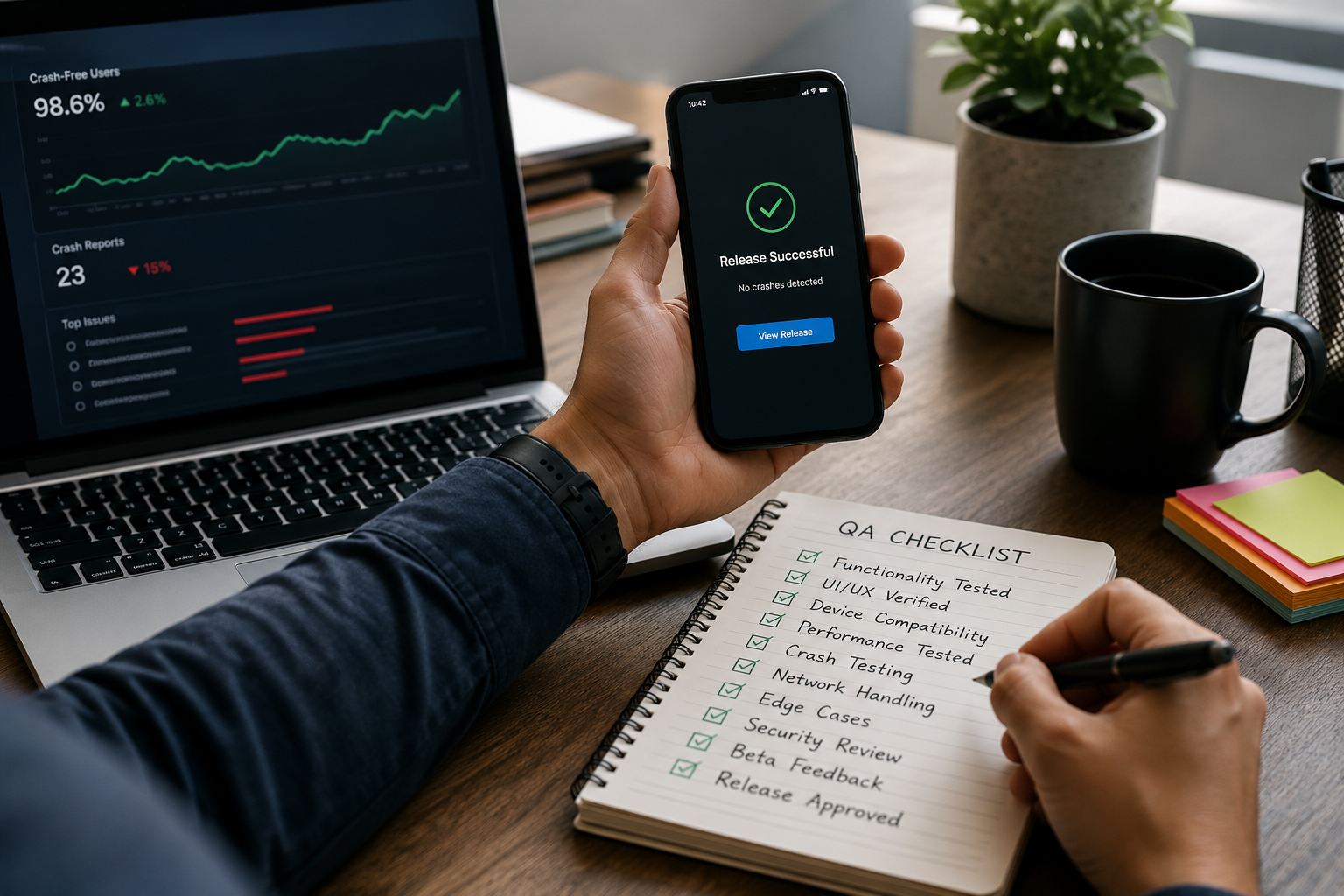
Crash-Free Releases: A QA Checklist That Actually Prevents 1-Star Reviews
Nothing tanks ratings faster than a crash on first launch, a frozen checkout screen, or a “works on my phone” bug that slips into production. A disciplined QA process is not about slowing shipping—it is about shipping with confidence, reducing emergency hotfixes, and protecting growth channels like paid acquisition and app store search.
This guide provides a field-tested checklist you can adapt for iOS and Android, whether you are a small team shipping weekly or a larger org coordinating multiple squads. The focus is on preventing the highest-impact issues: crashes, broken core flows, performance regressions, and policy/privacy surprises.
Start with risk-based QA (not test-everything QA)
Most teams do not fail because they test too little; they fail because they test the wrong things at the wrong depth. Risk-based QA means you intentionally spend more testing effort on the flows that drive revenue, retention, and trust, and you define what “good enough” means for lower-risk areas.
Begin by listing your critical user journeys (CUJs). Examples include: first launch and permissions, signup/login, onboarding completion, search/browse, purchase/checkout, subscription management, and core content creation. For each CUJ, define success criteria (time to complete, no blocking errors, acceptable load times) and the main failure modes (network loss, server errors, invalid input, low storage, background/foreground transitions).
- Prioritize by impact: What would trigger refunds, churn, or 1-star reviews?
- Prioritize by change: What codepaths changed in this release (including dependencies and backend APIs)?
- Prioritize by exposure: What percentage of users will hit the feature within the first session?
Build a realistic device and OS test matrix
“We tested on an iPhone 15 and a Pixel 8” is not a test matrix. Real users span older devices, smaller RAM footprints, customized Android OEM skins, and multiple OS versions. The goal is not to test everything—it is to cover the representative set that finds the most issues for your audience.
Use analytics (or store stats) to pick devices and OS versions that cover at least 80–90% of sessions. Include at least one low-end Android device and one older iPhone model to catch memory pressure and performance regressions. Also test different screen sizes and notches to expose layout issues.
- OS coverage: Current major version + one to two previous versions (more if your user base skews older).
- Performance coverage: One flagship + one mid-range + one low-end device.
- Form factor coverage: Small screen, large screen, and at least one tablet if you support it.
- Locale coverage: One non-English language, plus a long-text language (e.g., German) to stress layouts.
If you have limited hardware, combine physical devices with a device farm for breadth. Use physical devices for final sign-off of the most critical flows because touch latency, keyboard behavior, camera, and push notifications can behave differently than emulators.

Pre-release checklist: the items that prevent most production issues
Below is a practical checklist you can run for every release. Do not treat it as a formality; treat it as a gate. If you cannot pass an item, decide explicitly whether to delay, scope down, or accept the risk.
1) Crash and stability gates
Stability issues often come from null states, unexpected API payloads, lifecycle edge cases, and memory pressure. Add a hard stability gate: you do not ship if crash rate is above your threshold in internal/beta channels.
- Verify app launch, cold start, warm start, and resume from background (including after 10+ minutes).
- Test low-memory behavior: open camera, navigate heavy screens, then background/foreground.
- Validate deep links and push-notification taps (cold start and warm start).
- Force failures: airplane mode, flaky network, server 500 errors, timeouts.
Actionable tip: In QA builds, surface a diagnostic panel (hidden gesture) showing build number, environment, feature flags, and last API error. This shortens bug reproduction time dramatically.
2) Core flow functional tests (CUJs)
Test the full CUJ end-to-end, not just screens in isolation. Many “it passed QA” defects happen at transitions: auth refresh mid-checkout, cart state desync, or a permission denial breaking a downstream step.
- New user: install, onboarding, account creation, first key action.
- Returning user: cached session, token refresh, saved state restoration.
- Payments/subscriptions: purchase, restore, cancel, receipt validation, error states.
- Edge inputs: empty states, long names, special characters, and emoji in text fields.
3) Performance and responsiveness
Users interpret slowness as brokenness. App stores also reward stable, responsive apps. Make performance checks routine rather than a once-a-quarter effort.
- Measure cold start time and first meaningful paint on representative devices.
- Check scroll performance on long lists, image-heavy feeds, and complex layouts.
- Verify API calls are batched, paginated, and cached appropriately (no redundant fetch loops).
- Confirm images are resized/compressed and not decoding huge bitmaps on the main thread.
Actionable tip: Track a small set of release-to-release performance metrics (startup time, screen render time, API p95 latency, ANR rate). Regressions become obvious when you trend them per build.
4) Accessibility and UX polish
Accessibility issues create real user harm and frequently correlate with general UX quality. They also reduce support tickets by making the app more predictable.
- Screen reader labels for buttons, icons, and form fields.
- Dynamic type / font scaling and text truncation checks.
- Color contrast and disabled-state clarity.
- Touch targets: ensure critical actions are not too small or too close together.
Also verify microcopy and error messages: they should be specific (“Card was declined”) and actionable (“Try another payment method or contact your bank”), not generic (“Something went wrong”).
5) Privacy, permissions, and store policy
Many releases get delayed or rejected due to permission misuse, missing disclosures, or data collection changes. Test permission flows like a product feature: denial, limited access, “ask next time,” and settings redirects should all work.
- Permissions: camera, photos, location, contacts, notifications (all states).
- Privacy disclosures: ensure data collection matches store declarations.
- Third-party SDK review: verify updated SDKs do not introduce new data collection.
- Account deletion and data export flows (if applicable) are functional and discoverable.
Automation that pays off: where to invest first
Automation is most valuable when it protects critical flows and prevents regressions in areas that change frequently. A balanced approach typically includes unit tests for logic, integration tests for API contracts, and a small number of stable UI tests for CUJs.
Start small and make it reliable. Ten flaky UI tests can waste more time than they save. A good initial target is a “smoke suite” that runs on every pull request and a “release suite” that runs nightly across a broader device set.
- Unit tests: validation rules, formatting, pricing logic, state reducers, and mappers.
- API contract tests: verify parsing for optional/missing fields and backward compatibility.
- UI smoke tests: launch, login, navigate to core screen, complete one key action.
- Static analysis: lint, dependency vulnerability scans, and forbidden API usage checks.
Actionable tip: Add a “known flaky” quarantine mechanism, but require a ticket and an owner. Flakiness without accountability becomes permanent.
Beta strategy: catch reality before it hits the store
Internal QA finds many issues, but external testers find the surprising ones: weird networks, unexpected locales, enterprise device management restrictions, and uncommon OS configurations. A structured beta program gives you signal without chaos.
- Stage 1 (internal): engineers and QA validate smoke + CUJs on a small device set.
- Stage 2 (friendly users): dogfood with support/sales/ops to test real workflows.
- Stage 3 (public beta): limited rollout, collect feedback, monitor crash/perf metrics.
Make feedback actionable by including an in-app “Report a problem” that attaches logs (with user consent), recent screen path, and build details. When testers can report an issue in under 20 seconds, you get more reports and better reproduction steps.
Release controls: ship safely even when you move fast
Modern release management is about controlling blast radius. Even with great QA, unknowns slip through. The difference between a minor incident and a major outage is often whether you can stop the bleeding quickly.
- Phased rollout: start with 1–5%, then ramp up as metrics stay healthy.
- Feature flags: decouple deployment from exposure; be able to disable risky features remotely.
- Kill switches: for critical flows (auth, checkout) to fail gracefully when backend issues occur.
- Version compatibility: avoid forced updates unless absolutely necessary; maintain API backward compatibility.
Define your go/no-go metrics ahead of time (e.g., crash-free sessions, ANR rate, login success rate, checkout success rate). If a metric exceeds threshold, pause rollout immediately and investigate with logs and crash reports.
Post-release monitoring: the first 24 hours matter most
The release is not “done” when it is in the store. The first day is when edge cases surface at scale. Treat post-release like a short, focused operational window with owners and clear actions.
- Monitor crash reports and group by new in this version.
- Watch key funnel conversion steps (install to signup, signup to first action, checkout success).
- Track performance (startup time, ANR, p95 API latency) by device model and OS.
- Scan support tickets and reviews for repeated keywords tied to the release.
Actionable tip: Create a lightweight “release war room” checklist: who is on point, where dashboards live, how to pause rollout, and how to communicate status internally. This reduces panic and speeds recovery.
A simple template you can reuse every sprint
To make this sustainable, turn it into a repeatable ritual. Many teams keep a one-page release doc that is completed for every build. It should be short enough to maintain, but strict enough to prevent risky releases.
- Build info: version, build number, git SHA, environment, release notes.
- Change summary: top 3 changes, risky areas, dependency upgrades.
- Test coverage: devices tested, CUJs verified, automation status.
- Metrics gate: crash-free threshold, ANR threshold, performance deltas.
- Rollout plan: staged percentages, feature flags, rollback plan.
Over time, your checklist becomes a competitive advantage: fewer fires, faster iteration, and a product users trust.


0 Comments
1 of 1