


From Idea to Launch: A Practical Blueprint for a Successful App
Why Most Apps Struggle (and How to Avoid the Common Traps)
Launching a mobile app is easier than ever, but building one that people keep using is still difficult. The most common failures are not technical; they are clarity and execution failures. Teams build features before validating demand, ship confusing onboarding, ignore performance, and delay analytics until after launch. By the time they realize what users actually need, they have accumulated expensive complexity.
A more reliable approach is to treat your app like a product from day one: define the problem, validate assumptions quickly, design for real user journeys, and build with a maintainable foundation. This article provides a practical blueprint you can follow whether you are solo, a startup team, or an enterprise group modernizing an existing app.
Step 1: Validate the Problem and Define a Focused MVP
Start with the problem, not the solution. A strong mobile app is a response to a repeated user pain, not a list of features. Before writing code, document your target user, the context in which they use their phone, and the moment your app delivers value (the “aha” moment). Mobile usage is interruption-heavy, so speed to value matters.
Define an MVP that solves one primary job exceptionally well. Avoid shipping a mini operating system on day one. A focused MVP makes design clearer, reduces engineering risk, and improves your ability to measure product-market fit.
- Write a one-sentence value proposition: “For [user], who [problem], this app [solution], unlike [alternative].”
- List assumptions: acquisition channel, willingness to sign up, willingness to pay, retention driver.
- Pick 1–2 core flows: the smallest set of screens to deliver the aha moment.
- Decide what not to build: social feeds, chat, or complex personalization can wait unless they are the core value.
Example: If you are building a habit tracker, the MVP might be (1) create a habit, (2) daily check-in, (3) simple streak view. Leaderboards, AI coaching, and social sharing are enhancements for later.
Step 2: Choose the Right Tech Approach (Native, Cross-Platform, or Hybrid)
Your stack should match your constraints: timeline, budget, existing team skills, performance needs, and hardware integrations. There is no universal best choice; there is only what fits your goals.
- Native (Swift/Kotlin): best for top-tier performance, deep OS integrations, polished UI, and long-term platform alignment. Great for apps relying on camera, BLE, AR, or complex animations.
- Cross-platform (Flutter/React Native): faster iteration with shared code, strong for most consumer and business apps, and can still achieve excellent performance when done well.
- Hybrid/web (Capacitor/Ionic/PWA): useful when your app is primarily web content with light native wrappers, or when distribution outside app stores is important.
Also decide early on whether you will build a dedicated backend, use a BaaS, or start serverless. Early-stage apps often benefit from managed authentication, storage, and analytics to move faster, while still keeping an escape hatch for later.
Step 3: Design for Mobile Reality (UX That Respects Time, Attention, and Thumbs)
Mobile UX succeeds when it reduces cognitive load and respects that users may be on the move, on a slow network, or using one hand. Great design is not about adding polish everywhere; it is about removing friction in critical moments.
Start with user journeys, then translate them into wireframes, then high-fidelity UI. Make sure each screen answers: What is the user trying to do? What should they do next? What happens if they are interrupted?
- Thumb-friendly layouts: put primary actions within easy reach and avoid tiny touch targets.
- Fast onboarding: show value before asking for permissions or account creation when possible.
- Accessibility: support dynamic text sizes, sufficient contrast, and clear focus states.
- Empty states that guide: don’t show blanks; show a helpful next action.
- Error-proofing: confirm destructive actions and provide undo when possible.
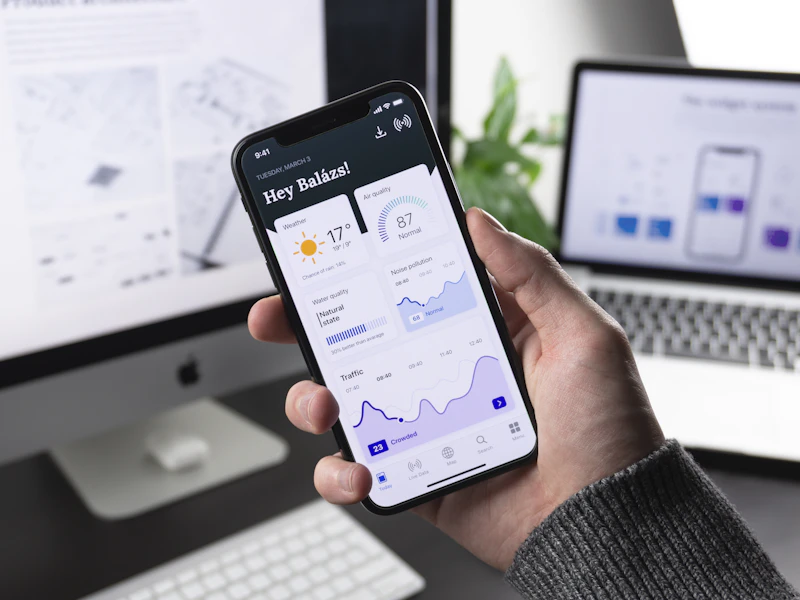
Actionable tip: In your prototype, time how long it takes a new user to complete the primary task. If it takes more than 60 seconds, simplify the flow or delay non-essential steps like profile completion.
Step 4: Build a Clean Architecture That Can Grow
Many apps slow down not because devices are weak, but because the codebase becomes tangled. A maintainable architecture helps you ship faster with fewer regressions. The right approach depends on your framework, but the principles are consistent: separation of concerns, predictable state, and clear boundaries between UI, domain logic, and data access.
Plan for modularity early. Keep networking, storage, and business rules isolated from UI components. Introduce a consistent error handling strategy and a single source of truth for app state where appropriate.
- Define your data layer: API clients, caching, retries, and offline strategy.
- Use feature modules: group screens, state, and services by feature to reduce cross-dependencies.
- Establish coding standards: naming, linting, and review checklists.
- Manage secrets correctly: never hardcode API keys; use secure storage and server-side token exchange.
Example: If your app fetches a product list, implement: (1) repository interface, (2) remote data source, (3) local cache, (4) view model/state controller. This makes it easier to add offline mode later without rewriting UI.
Step 5: Performance and Reliability as Features
Users judge your app by how it feels: startup time, scroll smoothness, and responsiveness. Performance is also a retention strategy; slow apps get deleted. Treat performance budgets like real requirements and test on mid-range devices, not only the latest flagship phones.
- Measure cold start: minimize heavy initialization, defer non-critical work, and lazy-load dependencies.
- Optimize images: request appropriately sized assets, compress, and cache intelligently.
- Reduce network chattiness: batch calls, use pagination, and adopt caching headers.
- Handle flaky networks: retries with backoff, clear offline messaging, and queued actions.
- Prevent crashes: guard nulls, validate inputs, and integrate crash reporting from day one.
Actionable tip: Create a performance checklist for every release: cold start under a target threshold, main list scrolls at 60fps on a baseline device, no critical crash spikes, and API latency within acceptable bounds.
Step 6: Testing Strategy That Matches Your Risk
Mobile apps face a wide matrix: devices, OS versions, screen sizes, and network conditions. You do not need perfect test coverage, but you do need a strategy. Focus testing on critical paths: authentication, purchase flows, data entry, and anything involving payments or sensitive data.
Combine automated tests with a small but consistent manual QA routine. Use feature flags to reduce risk and allow safe rollouts.
- Unit tests: business rules, formatting, validation, and state transitions.
- Integration tests: API interactions, local persistence, and caching logic.
- UI tests: core flows like onboarding and checkout.
- Device testing: at least one low-end Android and one older iPhone model if you support them.
Example: For a booking app, build UI tests for search, selecting a time slot, payment confirmation, and viewing a receipt. These flows protect revenue and support.
Step 7: Security, Privacy, and Compliance Basics
Security is not only for finance apps. Any app that stores personal data needs to reduce risk. Start with least-privilege permissions and transparent user communication. Privacy-friendly design also improves trust and conversions.
- Minimize data collection: only collect what you need for the core experience.
- Secure storage: use Keychain/Keystore for tokens and sensitive values.
- Transport security: always use HTTPS and consider certificate pinning where appropriate.
- Privacy policy and consent: be explicit about tracking and analytics, especially under regional laws.
- Role-based access: enforce permissions server-side, not just in the UI.
Step 8: Launch Plan: Store Readiness, Analytics, and Growth Loops
A good launch is a coordinated release, not a last-minute upload. Prepare your app store listing early: screenshots, preview video if relevant, keywords, and a clear description of the user benefit. Ensure your support channels are ready and that you can respond to reviews quickly.
Analytics should be in place before day one so you can learn what users do, where they drop off, and which channels bring quality users. Focus on a small set of metrics tied to your core loop.
- Pre-launch checklist: crash reporting, analytics events, deep links, push setup, and release notes.
- Core metrics: activation rate, day-1/day-7 retention, conversion rate, and key feature usage.
- App Store Optimization: test icons and screenshots, localize if needed, and iterate on keywords.
- Growth loop: referrals, shareable artifacts, or content outputs that naturally spread.

Actionable tip: Instrument a funnel for your primary flow (e.g., install → open → onboarding complete → first success action). If you see a major drop at a step, fix that before adding new features.
What to Do After Launch: Iterate Without Losing Control
Post-launch success depends on fast learning and disciplined iteration. Prioritize improvements based on data and user feedback, but protect your roadmap from random feature requests. Maintain a clear backlog with categories: bugs, UX friction, performance, and new capabilities.
Adopt a release cadence (for example, biweekly) and include maintenance work in every cycle. Over time, invest in automation: CI builds, automated tests, and staged rollouts. This reduces fear of shipping and keeps quality high as your user base grows.
- Run regular review cycles: weekly metric review and monthly roadmap review.
- Use feature flags: safely test new features with a subset of users.
- Keep a “quality budget”: dedicate capacity to tech debt and performance each sprint.
- Talk to users: short interviews can reveal issues analytics cannot.
A mobile app that wins is not the one with the most features. It is the one that reliably delivers value, feels effortless to use, and improves steadily. Follow this blueprint, and you will dramatically increase your odds of building an app users keep, recommend, and pay for.


0 Comments
1 of 1