

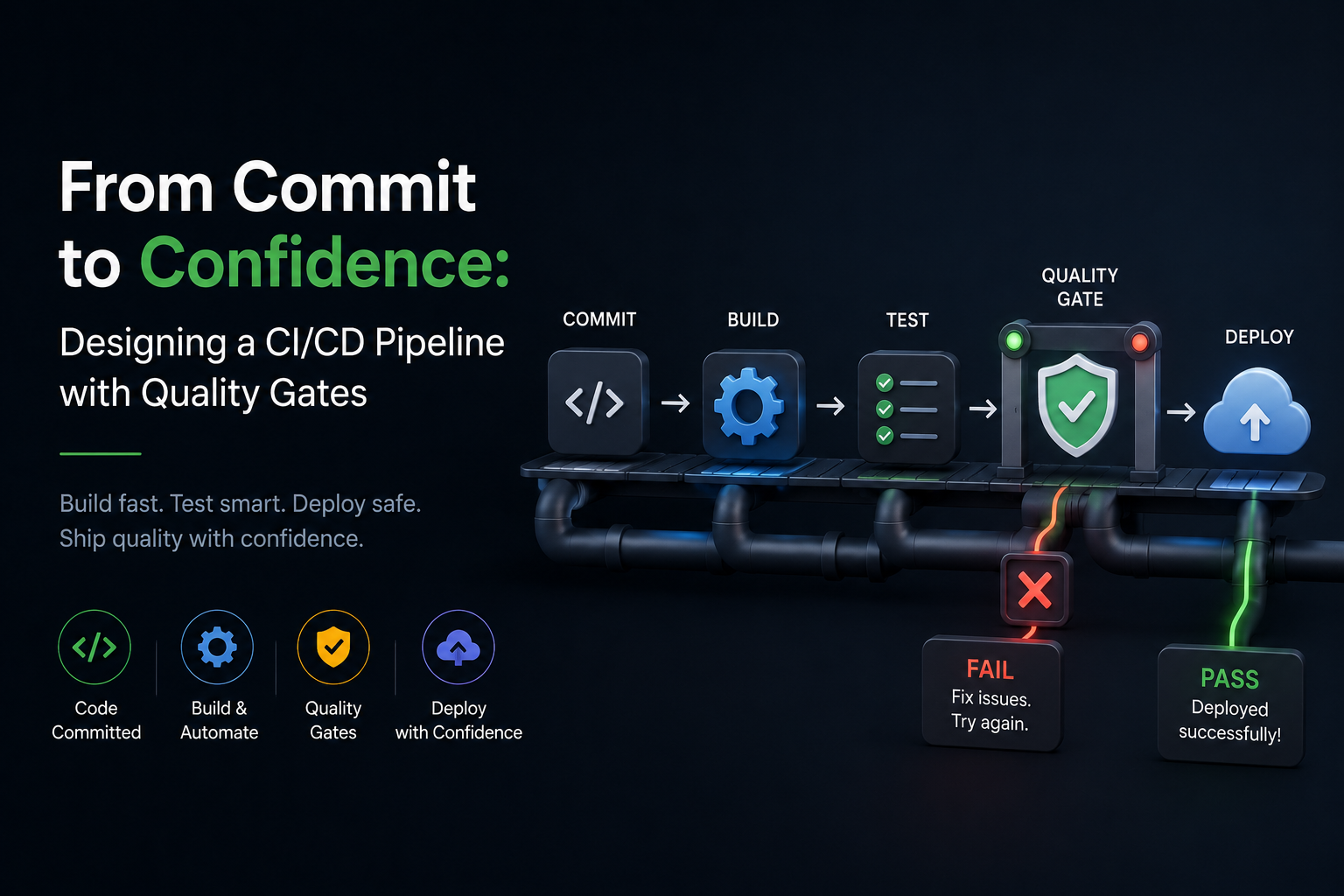
From Commit to Confidence: Designing a CI/CD Pipeline with Quality Gates
Fast delivery is only valuable when it is safe. A modern CI/CD pipeline is more than “build and deploy”—it is an automated decision system that continuously answers: Is this change correct, secure, compatible, and observable in production? The most effective pipelines bake that decision into quality gates: explicit checks that must pass before code can progress.
This article walks through a practical pipeline design that teams can implement incrementally. You will learn how to choose the right gates, where to place them, and how to keep them trustworthy (high signal, low noise) so developers do not learn to ignore them.
Start with outcomes: what your pipeline must guarantee
Before tooling, define the outcomes your pipeline should guarantee for every change. This prevents “checkbox automation” where you run many steps but still ship regressions.
For most product teams, the minimum guarantees look like this: the change compiles/builds reproducibly, tests pass at appropriate levels, security and licensing checks are enforced, deployments are reversible, and production behavior is measurable.
- Correctness: unit/integration tests, contract tests, schema checks
- Reliability: smoke tests, canary verification, rollback readiness
- Security: dependency scanning, SAST, secret detection, SBOM
- Compliance: license policy, audit trails, approvals where required
- Operability: logs/metrics/traces exist and dashboards/alerts are updated
Pipeline architecture: stages, artifacts, and promotion
A robust pipeline is built around one key principle: build once, promote many. You should produce a single immutable artifact (container image or package) and promote that exact artifact across environments (dev → staging → prod). Rebuilding per environment introduces drift and makes incident response harder because “what’s running” becomes ambiguous.
Design your pipeline as a sequence of stages where each stage is a gate. Earlier stages should be fast and cheap (linting, unit tests). Later stages should be more realistic and expensive (integration tests, end-to-end checks, performance baselines). This preserves feedback speed while still providing deep coverage before production.

- Stage 1 (PR checks): format, lint, unit tests, secret scan, quick SAST
- Stage 2 (main branch build): deterministic build, artifact signing, SBOM generation
- Stage 3 (staging): migrations preview, integration tests, contract tests, smoke tests
- Stage 4 (prod): canary/blue-green, automated verification, progressive rollout, auto-rollback
Actionable tip: treat every stage output as evidence. Store test reports, coverage, vulnerability results, and deployment metadata alongside the artifact so you can audit exactly why a release was allowed.
Quality gates that teams actually keep enabled
A gate is only useful if it stays on. The biggest reason gates get bypassed is noise—flaky tests, slow pipelines, or checks that repeatedly fail for reasons unrelated to product quality.
Use three rules to keep gates effective: keep early gates under 10 minutes, quarantine flaky tests with a strict policy, and make failures easy to diagnose with clear logs and links to artifacts.
- Fast feedback gate: run unit tests, linters, and type checks on every pull request. Fail fast with precise messages.
- Deterministic build gate: pin dependencies, use lockfiles, and build in a clean environment (containers or ephemeral runners). The same commit must produce the same artifact.
- Policy gate: dependency vulnerabilities above a threshold fail the build; licenses outside your allowlist fail the build; unsigned artifacts fail promotion.
- Release gate: production deployment requires successful canary verification and SLO-based health checks (not just “pods are running”).
Example (single-stage snippet):
steps: ['lint','unit','build','sbom','scan','sign','publish']Testing strategy: balance speed, realism, and coverage
High-performing teams do not rely on one “big test suite.” Instead, they layer tests so that each layer catches a class of issues efficiently. A useful mental model is: most tests should be small and deterministic, while a smaller number should validate cross-service behavior.
Recommended layers and what they catch:
- Unit tests: business logic regressions, edge cases, refactoring safety
- Integration tests: database queries, message brokers, external API adapters
- Contract tests: breaking API changes between services and clients
- End-to-end tests: critical user journeys (keep small and stable)
- Performance smoke: detect accidental O(n²) behavior or heavy queries early
Actionable tip: implement a “test ownership” rule: every flaky test has an owner and an SLA (for example, fixed or removed within 48 hours). If a test becomes flaky, quarantine it automatically (still run and report it), but do not allow it to block releases indefinitely.
Deployment patterns: minimize blast radius by default
Deployment is where quality gates meet reality. The goal is to reduce the risk of any single release by limiting blast radius and enabling quick recovery. Two proven approaches are blue-green and canary deployments, often paired with feature flags.
Canary ships to a small percentage of traffic first. Your pipeline should automatically evaluate health signals during the canary window and stop or roll back if thresholds are breached. Blue-green switches all traffic at once but retains the previous environment for instant rollback; it is simpler but can create a larger step change.
- Use feature flags for risky behavior changes and gradual enablement.
- Decouple deploy from release: deploy code dark, enable features later.
- Automate rollback on objective signals (error rate, latency, saturation).
Observability as a gate: verify behavior, not just uptime
Many pipelines stop at “deployment succeeded,” which often means “the orchestrator accepted the manifest.” Real confidence comes from verifying application behavior under real traffic and dependencies.
Make observability part of your release gate by requiring evidence from:
- Golden signals: latency, traffic, errors, saturation
- Business KPIs: checkout success, sign-up completion, job throughput
- Dependency health: database pool usage, queue lag, upstream error rates

Actionable tip: define a simple automated “release checklist query” your pipeline runs (for example, last-10-min error rate < 1%, p95 latency within SLO, no new critical logs). If you cannot automate a check, it is usually not a reliable gate.
Security and supply chain: build trust into every artifact
Security gates are most effective when they are consistent and close to the build. Add secret scanning to pull requests, dependency and license scanning to every build, and artifact signing before publication. Generate an SBOM (Software Bill of Materials) so you can answer “where are we using this vulnerable library?” within minutes.
Practical security gates to implement in order:
- Secret detection: block committed keys/tokens; rotate if detected.
- Dependency scanning: fail on critical/high vulnerabilities with available fixes.
- License policy: enforce allow/deny lists automatically.
- Artifact signing: require signature verification in deployment stage.
- Runtime hardening: minimal base images, non-root, read-only FS where possible.
Actionable tip: avoid “fail on any vulnerability” early on—it can overwhelm teams. Start with critical/high + known-exploited, then tighten thresholds over time as your remediation workflow matures.
Keeping the pipeline healthy: performance, cost, and developer experience
Pipelines degrade over time unless you maintain them like production systems. Treat CI as a product: measure lead time, queue time, flaky test rate, and success rate. The goal is not merely fewer failures; it is fewer mysterious failures.
- Parallelize intelligently: split test suites by historical duration; keep shards balanced.
- Cache safely: cache dependencies and build layers; avoid caching test outputs that can hide failures.
- Use ephemeral environments: on-demand preview apps for PRs reduce integration risk early.
- Standardize pipelines: shared templates reduce drift across repositories.
Actionable tip: implement a “pipeline error budget.” If CI reliability drops below a threshold (for example, 98% green excluding code failures), pause new gate additions and focus on stability and speed improvements.
Conclusion: quality gates are a strategy, not a toolchain
A strong CI/CD pipeline is not defined by which vendor you choose; it is defined by whether every change is forced through a set of meaningful, low-noise gates that reflect your real-world risk. Start small: fast PR checks, deterministic builds, and a basic staging verification gate. Then expand into canary analysis, artifact signing, and SLO-based release automation.
When done well, quality gates reduce firefighting, speed up delivery, and create a shared definition of “ready” that both engineering and the business can trust.


0 Comments
1 of 1