

The Product-Led Playbook for a Confident App Release
Start With a Release Goal Users Can Feel
A confident release begins with a clear user-facing outcome, not a list of features. Define the primary job-to-be-done your release improves (for example: “book an appointment in under 60 seconds” or “track spending with zero manual entry”). This keeps design, engineering, and marketing aligned, and it prevents the common trap of shipping work that is impressive technically but invisible in real-world value.
Translate that outcome into a measurable release goal. Good release goals tie to user behavior (activation rate, task success rate, week-1 retention) and to product constraints (crash-free sessions, app start time, API error rate). When you can express success in metrics, you can make better trade-offs when scope pressure hits.
Define Your Target Persona and the “First 5 Minutes” Path
Most apps win or lose in the first session. Map the first 5 minutes as a single, uninterrupted path: install, permissions, account creation, onboarding, and first value moment. Your goal is to remove friction and help users reach value quickly, even if they are distracted, on poor connectivity, or using a small screen one-handed.
Actionable approach: write the first-session script as if you were narrating it to a new user. Then turn it into acceptance criteria for design and QA. When your team debates a UI detail, you can ask: does this improve the first value moment or slow it down?
- Choose one primary action for the home screen (avoid competing CTAs).
- Delay non-essential permissions until the moment they unlock a benefit.
- Show progress and reassure users during loading (skeletons, optimistic UI when safe).
- Use plain-language microcopy that matches user intent, not internal jargon.
Design for Trust: Clarity, Feedback, and Recovery
Trust is built through predictable interactions and graceful failure states. Users forgive errors when they understand what happened and what to do next. The best experiences don’t just prevent mistakes—they make recovery obvious. This matters even more on mobile, where interruptions (calls, notifications, backgrounding) are normal.
Use a consistent system for feedback: loading, success, warning, error. For example, after saving a profile change, show a short confirmation and reflect the updated state immediately. If a network request fails, preserve user input, explain the issue in one sentence, and offer a retry button. Avoid generic messages like “Something went wrong.”

Build an Engineering Backbone That Scales With Your Roadmap
A release that feels smooth to users is usually backed by disciplined architecture. Favor modularity so teams can move faster without regressions: separate UI, domain logic, and data layers; isolate third-party SDKs; and keep a single source of truth for state. This makes it easier to add features, swap implementations, and test reliably.
On the backend integration side, design for evolution. Version APIs thoughtfully, use typed models, and treat network calls as unreliable by default. Add structured error handling and fallbacks so the app remains usable when services degrade.
- State management: pick a pattern your team can maintain, then enforce it with code review and lint rules.
- Networking: implement timeouts, retries with backoff, and idempotency where appropriate.
- Caching: cache read-heavy data and invalidate explicitly to avoid stale confusion.
- Observability: add logs, traces, and crash reporting early, not after launch.
Performance That Users Notice (and Stores Reward)
Performance is a feature. It affects ratings, retention, and store ranking. Focus on the moments users experience directly: cold start, navigation responsiveness, scrolling smoothness, and battery/network usage. Don’t guess—measure with profiling tools and real-device testing, especially on mid-range hardware.
Practical wins often come from trimming work at startup, minimizing layout thrash, and deferring heavy tasks until after the first screen is interactive. If your app depends on multiple API calls, consider batching, parallelizing safely, or using a “first paint” response followed by progressive enrichment.
- Set budgets (example: cold start under 2 seconds on target devices).
- Optimize images (right size, modern formats, caching headers).
- Reduce over-fetching (request only what the screen needs).
- Use background work responsibly to protect battery life.
Security and Privacy: Make It a Release Requirement
Security is not just encryption—it’s minimizing risk while keeping flows user-friendly. Treat personal data as a liability: collect less, store less, and retain for less time. Communicate clearly why you need permissions and how data is used. This improves conversion and reduces support burden.
At a minimum, protect data in transit with TLS, protect sensitive data at rest using platform secure storage, and review third-party SDKs for data collection. Ensure authentication flows are resilient: secure session handling, token refresh, and device compromise assumptions.
- Use secure storage for tokens and secrets (avoid plain preferences).
- Pin important security headers and validate certificates where appropriate.
- Implement rate limiting and abuse detection server-side.
- Document data handling for compliance and app review clarity.
Testing Strategy: Catch the Bugs Users Actually See
Testing should reflect user reality: poor networks, background/foreground transitions, low storage, and interrupted flows. Combine automated tests with focused manual scripts. Automated coverage is most valuable where logic is complex and regressions are expensive: payments, authentication, sync, and core user journeys.
Create a release checklist that QA and engineering share. Include exploratory testing around edge cases, and don’t forget store review requirements (privacy strings, permission usage descriptions, account deletion rules where applicable). Finally, stage rollouts to reduce blast radius.

Launch Like a Product Team, Not a Lottery Ticket
A strong launch is coordinated: store listing, messaging, onboarding, and instrumentation all aligned to the release goal. Treat the app store page as a conversion funnel. Update screenshots to show the new value, rewrite the first two lines of the description for clarity, and ensure keywords match what users search for (without stuffing). If you run paid acquisition, align creatives with the same promise your onboarding delivers.
Use staged rollouts and feature flags so you can respond quickly. If a metric dips—crash-free sessions, sign-up completion, or payment success—pause rollout and fix before the issue spreads.
- Ship with analytics events tied to the first value moment and retention.
- Prepare a rollback plan and an incident playbook.
- Coordinate support responses and update your help center.
- Monitor reviews and respond quickly in the first 72 hours.
Measure What Matters After Release
Post-release success is about learning fast. Focus on a small set of metrics that map to user value and business health: activation, day-7 retention, task success, conversion, crash-free sessions, and latency. Avoid vanity metrics that don’t change decisions.
Run a weekly release review: what shipped, what moved, what didn’t, and what you will change. Pair quantitative data with qualitative feedback from support tickets, interviews, and session replays (with privacy in mind). The goal is to turn each release into a compounding advantage: better UX, fewer bugs, stronger trust, and clearer growth loops.
- If activation is low: simplify onboarding and reduce early permissions.
- If retention is low: add reminders, content freshness, or a clearer habit loop.
- If crashes rise: audit recent changes, add guards, and improve monitoring.
- If conversion stalls: test pricing, paywall timing, and value messaging.
Quick Checklist for Your Next Release
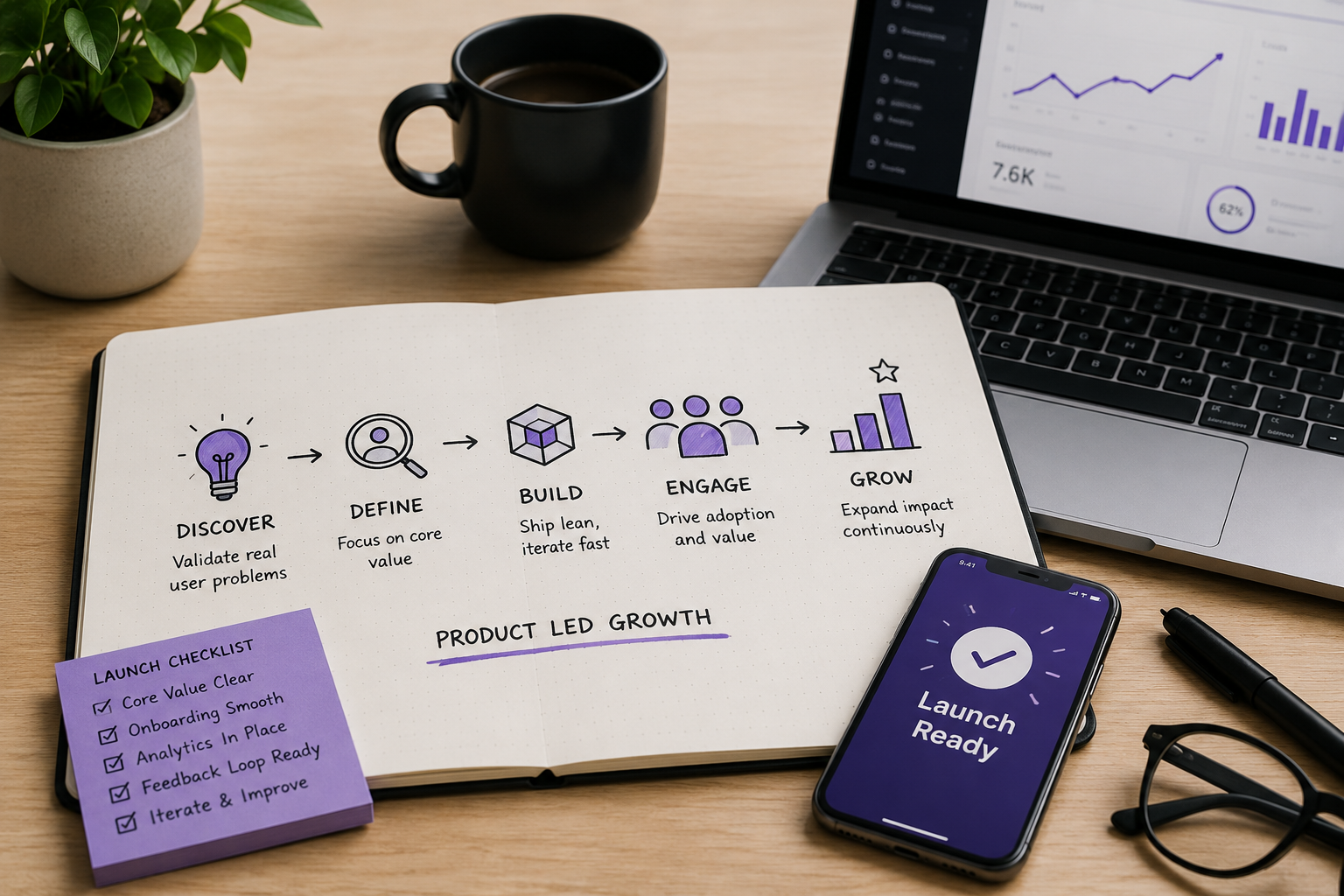
- One release goal tied to a user outcome and a metric.
- First-session path mapped and tested on real devices.
- Performance budgets defined and measured.
- Security and privacy requirements verified.
- Automated tests for critical journeys, plus manual scripts for edge cases.
- Store listing updated to match the new value proposition.
- Staged rollout, monitoring, and rollback plan ready.
When you treat releases as a repeatable product practice—rather than a one-off push—you ship faster, break less, and build user trust over time. That is what makes an app feel mature, reliable, and worth keeping.


0 Comments
1 of 1